
Thursday, June 19, 2008
On the hunt for a job
Since more than 2 years I 've been working as an external IT consultant for a company in the DIY industry.
Budget problems and global company politics are now putting an end to this mission. The employer I work for is currently looking for another assignment, but as summer holidays are arriving this might become a challenging endeavour.
Therefore, I 'm about to open all registers into finding the appropriate job opportunity.
And where else better than on the website where my skills are best displayed in the form of Trinity Rescue Kit and other projects?
So, if you happen to be an employer or you know your company is hiring a network/system administrator and it 's in the neighbourhood between Brussels and Antwerp, Belgium, please take a look at my CV.
You can download it in pdf or word (zipped) format.
My contract with the customer ends on the 15th of July, so I can be available as of that date.
Tuesday, May 27, 2008
Flash your Stein DVR 9405
Last year, in an impulsive mood (I regularly have them), I bought myself a DVD/HDD recorder from the brand Stein.
It costed me 219€, has a 250Gb harddrive, is able to record both to DVD as to harddrive and has analog 5.1 connectivity. Reason enough for me to buy it.
... I thought ...
I connected it and I was surprised by the ease of installation: channel installation was very straightforward and easy to configure. It was only afterwards that it began to bother me how complicated it was to program a scheduled recording. You had to traverse about 5 menus and press tens of buttons before getting it done. But that was something I could live with once I had the knack of it. What really bothered me was the image quality of the TV tuner: colors were very crappy (red was pink) and images had some sort of mist over them. At first I thought it might have due to my cheap TV, but when I replaced my TV a few weeks ago, I noticed it had nothing to do with it (DVD playback was fine anyway).
So I started searching for firmware. Only problem was: Stein has no official site. In fact, there was so little I could find about Stein that I doubted I would ever find a newer firmware for it. And so I turned to forums. And more forums. There I discovered that this machine is most likely a clone of other brands. Other brands that may have newer, better firmware. And so I came across the Yamada 9300Hx, which apparently is compatible AND has more recent firmware.
Only problem was: nobody ever risked or reported flashing his Stein with this firmware.
So there 's gotta be a first time for everything and I decided to go for it. My recorder was otherwise pretty useless to me. If it went wrong, my plan B was to try and return it to the store and make up a story that it "just stopped working one day".
Luckily, I didn't have to revert to plan B. I turned to the FAQ from Yamada/Umax . Apparently the Stein has got the Philips TV tuner (but verify yourself based on the picture shown in that FAQ).
I downloaded the Philips version of the firmware there, burned that to CD and inserted it into my recorder. Upon accessing that CD, I immediately got the option to upgrade the firmware.
And there I went: I flashed it, it rebooted and came up! All my channels were reset, so it started with a setup wizard which scanned my channels. And my IR remote still worked! It found back and reprogrammed my channels.
And what do you know: my image was way better than before, colors were just great now (even a little oversaturated ) and it had offered a new feature: editing your recordings. However, this function only worked after a reformat of the harddisk. In my case there wasn't anything I wanted to keep on it, but maybe you will have to make a backup to DVD first. After reformatting I was able to edit what I recorded. Other functions/menus remained pretty much the same.
But I am happy now, especially for the improved image quality ;-)
I 'm still hoping that one day some firmware will allow file access over the IEEE1394 interface, because it lacks USB.
Tuesday, April 29, 2008
New beta 3.3 build 318 - Commercial support available for TRK
As of now, Trinity Rescue Kit has official commercial support. Trinity has agreed in a partnership with the consultancy company Open Computing to give live and offline commercial support.
For years, people have been asking me whether they could be helped by phone or online chat. Since I have my daytime job and already a lot of work as it is, I could not provide this.
Well, now you can contact Open Computing who will help you with any Linux problem you might have. Also Windows is supported to a certain degree: sometimes after TRK has done the necessary repairs on your dead or inaccessible Windows, it might be appropriate to perform some after-maintenance, like removing malware and cleaning up the registry.
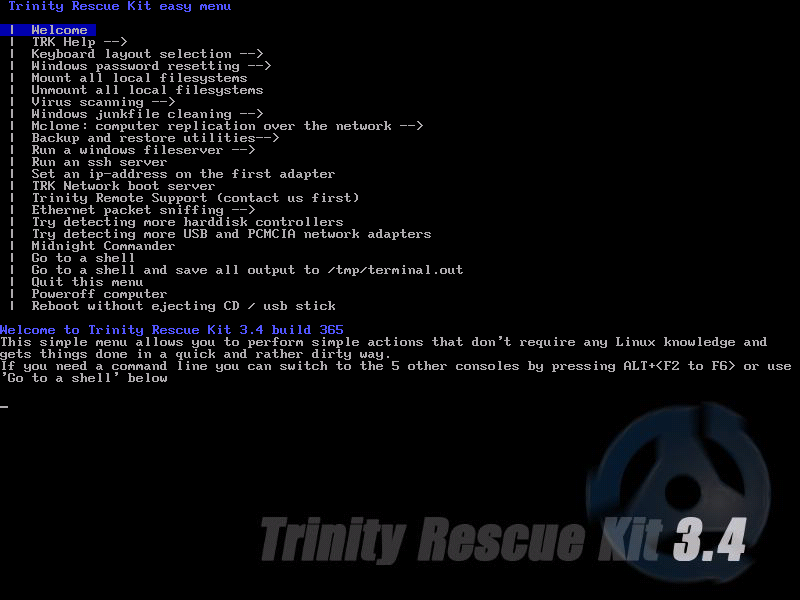
The latest version of TRK is equipped with a script called trinisup that allows remote management of a computer running TRK. It should work with almost any internet connection, including those behind a natted firewall. For aftersupport on Windows, the Trinity Remote Support Pack or TRSP is included. TRSP is a collection of tools (putty and vnc) and scripts for Windows that allow a remote control session of your Windows desktop, pretty much in the same manner as the TRK trinisup script. Read more about the mechanics behind this method here..
Pricing for commercial assistance is very reasonable. I couldn't do it for less myself! Follow this link to the website of Open Computing and read more about it.
Of course, Trinity Rescue Kit itself and the help forum still remain completely free!

Together with this announcement, a new beta version Trinity Rescue Kit 3.3 is available.
At build 318, several bugfixes have been attacked and a few features added. Biggest bugfix is in winpass, which is the most significant feature of TRK ever since TRK 1.1.
-Well, winpass has been for 80% rewritten, using better, more flexible code. Especially, the biggest bug was the case-sensitivity, which is inherent for Unix systems and has been completely circumvented. This time winpass should never announce anymore that it can 't find any windows installations (unless your disks are unknown or corrupted).
I 've also added a feature that it makes a backup of your original registry hive, allowing you to reset a password, do your thing in windows and put back the old password without ever having to know it; 'winpass -r' restores your password file (SAM).
Another bugfix again in winpass was the problem with usernames that had spaces in them. I ‘ve worked around this problem now. All you have to do is specify the –u flag at the commandline and the username between double quotes. E.g. winpass –u “Test User”
-Another new feature is not Linux based and is stupidly simple but effective: when you insert the TRK CD while running Windows and autorun is active (which is Microsoft's default in any version of Windows since 95), you will be prompted that TRK is not usable from Windows but also that it is unsafe to have autorun active because of the high rate of virus infections being exchanged with USB keys (for which autorun is also active). Clicking "Yes" on the warning message will deactivate autorun completely, lowering the chance of a virus infection by at least 10% (which is the statistic percentage of virus infection sources today).
-Added upd-sender/udp-receiver, utilities to perform multicast sessions across your network like imaging. Scripts are not yet implemented for this, but contributions are welcome.
-Kernel is now multi-cpu capable. It might be that some older systems are now unable to boot TRK anymore, but I expect these to be really old ones. For those I recommend to use TRK 3.2 (or earlier)
-TRK is now volume label independent: you can put any volume label you like on your CD/USB stick. You just have to pass the volume label in your syslinux.cfg/isolinux.cfg by adding vollabel=YOURLABEL to the command line. Interesting for people making multiboot CDs.
-Trinity Remote Support packages added to the medium. Can be used for remote support from a running Windows machine, in case problems cannot be completely fixed from TRK.
-Other updates/bugfixes:
*latest kernel 2.6.25
*Intel E1000 driver v7.6.15.5 (8.01 appears not to work)
*ntfs-3g 1.2412
*coreutils 6.9 (all included utils now available on TRK)
*testdisk + photorec 6.9
*syslinux 3.62: some newer PCs like the HP DC7800 hung on startup when booting from USB. This new syslinux bootloader fixes that problem
*ddrescue 1.8
*dd_rescue 1.1.4
*chkrootkit 0.48
*hdparm 8.6
*memtest86+ 2.01
*prime95 v.2414 (type mprime): a utility that does number crunching and is a real stress test for your CPU’s floating point capabilities.
*f-prot fixed: bugs in proxy parameters and failed to run once it was already installed
*clamav-0.93-2
*lspci and lsusb did not point to their pci/usb database so no info about manufacturer was given. Fixed it.
*UTF-8 was missing some files, gave warnings with ntfs-3g, fixed
Friday, April 4, 2008
New product: Trinity Remote Support Pack for Windows
For all the sysadmins dealing with remote users: ever got tired of not being able to remote control a workstation because it 's behind a firewall or a NAT-router (like most home connections)?
Well, here 's the solution: Trinity Remote Support Pack for Windows is a set of commonly available and free utilities (UltraVNC and putty), glued together with some pretty simple scripts in a self extracting package that allow an administrator to connect to any PC with (almost) any type of Internet connection. Whether the user is behind a firewall, NAT-router or has its Windows firewall activated, TRSP for Windows gets through.
How does it work? Read the details and download instructions here. In short, the user downloads TRSP, executes it and gets connected to a server on the Internet. Once connected, the administrator connects to that machine with his vncviewer on the port the user specified when he fired up TRSP. And there you go: a remote VNC session set up with the computer behind the firewall. All this with passwords and everything of course.

Trinityhome = free software
The TRSP software in itself is free and for a connection to a server (machine-in-the-middle), you can use the (limited) trinityhome.org resources. There 's a free demo account which lets you remote control a machine for no more than 2 minutes. After that the session kills itself.
If you want a full-blown account with more security for your users, you can get one at a small fee. Just contact support,  we can set you up an account for as little as 3€/month with a 10€ setup fee (limited to a "fair-use-policy"). If this service works out, we will get ourselves a machine with bigger bandwidth.

Make your own TRSP
There 's also an SDK included: you can modify the scripts so that a client will connect to one of your own machines. That of course makes it completely free for you. There 's some explanation on how to do it, it 's all pretty straight forward stuff. Anyone who calls himself a decent Windows sysadmin can do it.

Check it out!

P.S: a similar service will appear in the upcoming version of TRK too.
Friday, April 4, 2008
Coming soon
.. a new version of Trinity Rescue Kit 3.3 (still beta)
For all new visitors to this site: if you want to use TRK to reset winpass, it might not work with version 3.3 build 310. A newer version of winpass is ready and will be shipped with a new release of  TRK 3.3.
In the mean I recommend to try the stable TRK 3.2 first. It might not support your hardware, but if it does, use that one for password resets.
Expected release date should be around the 3rd week of april 2008.
Thursday, January 17, 2008
Build 310: winpass fixed and Intel E1000 family nics support
This release should fix the most hot problems reported on the forum: winpass and new Intel ethernet cards that weren 't supported.
-The problem with winpass was with Vista. Microsoft OSes are these days "case aware", where Unix OSes are "case-sensitive". This means that when Microsoft decides to name the folder "C:\Windows\system32" all of a sudden to "C:\Windows\System32" , they don 't get into trouble because they don 't care about upper- or lowercase, but Linux does. This meant that winpass didn 't find the SAM file anymore and reported that there were "No Valid Windows installation(s) found". I easily fixed that by replacing "system32" by  "*ystem32". So unless someone gets the idea of making a folder Fystem32 or something, this should be a quick and good fix.
-In the meantime, winpass has received the newer version of chntpw, the program that in fact does the important bits with your passwords. I wasn 't aware there were any new versions, apparently one came out last year in September. Thank you forum members for pointing that out. Here 's where chntpw can be found (credit to those who deserve it): http://home.eunet.no/pnordahl/ntpasswd/
-Added the Intel E1000 nic driver from Intel themselves. The mainstream kernels still don 't support the newer Intel nics like the 82566-DM which can be found in many new PCs. Since this driver cannot be compiled into the kernel, I had to pull a few tricks out of my sleeve to get the network bootability of TRK going with this driver. No worries: it works.
-And in one go, I 've put in a very recent kernel2.6.23.12.
-All startup options from the initial syslinux startup screen now have pci=conf1 added to it, which use the be the alternate boot option 3 before (for HP DC 7700, 7800's and plenty other machines. This option hasn 't posed any problems on machines who normally startup without this option, but please let me know if all of a sudden one of your computers fails to start with build 310.
-Of course you have a few minor bugfixes which are not worth mentionning here.

For next release I 'm hoping to have a little time to rework virusscan and maybe add another AV engine (Avira comes to mind). Please let me know what your priorities are on the forum.
Monday, December 17, 2007
Meet Jeroom
Finally, our little boy has arrived: meet Jeroom Kerremans, son of Ingrid Renders and Tom Kerremans.
Already my best friend and such a good boy.
Don 't have much time to make an elaborate post, must get back to the hospital :-)

Date of birth: 17-12-2007, 10:00
Weight: 3,33kg, height: 51cm.
Godfather: Steven Renders
Godmother: Lieve Teugels
Thursday, December 6, 2007
Bugfix release build 306: winpass broken in build 304
It 's lack of time, let 's blame it on that: TRK 3.3 build 304 contains a major bug in winpass just because I didn 't test it all the way through.
I got that fixed in a new build 306 now, the first mirror has pulled it in (Garr), so please download that one now.
Build 306 also got a few more pata drivers (the ones not marked experimental), so it should recognise a few more ide controllers on brand new machines.
Let 's hope not too many new bugs come out of this one because any moment now I 'm going to become a father and I won 't have any time left.
Tuesday, December 4, 2007
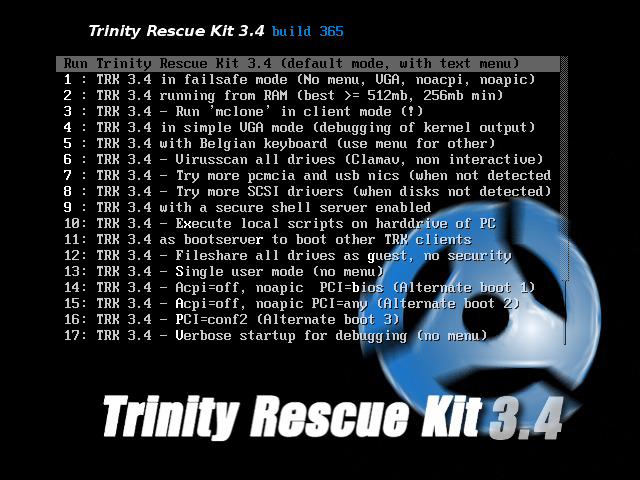
New TRK: boot TRK from TRK
Major nifty feature addition in this release: boot other TRKs over the network from a running TRK!
Yes indeed, after months of research, hard brainwork and lots of trial and error I finally got it to work: you can now boot a TRK from CD or USB stick and then boot other machines over PXE without any change to your network environment (no dhcp modifications, no resident tftp nor nfs server)
How does it work?
Well, the initial bootprinciple is similar to Microsoft RIS or Novell Zenworks network boot.
Thanks to a long existing patch from Michael Johnston for the ISC dhcp server, this dhcp is able to act as a proxy dhcp server. In short it means that when a PXE client receives boot parameters from a dhcp server like an ip-address but no PXE information, it broadcasts for the presence of a proxy dhcp server that could provide it with additional information like the location of a PXE server.
The built-in PXE server from this ISC dhcp then responds with parameters about a TFTP server and a bootfilename.
Next, the client gets its bootfile from the TFTP server, which is also running on TRK and boots the TRK kernel.
The "TRK server" is also acting as an nfs server so TRK can also run the second bootstage.

And there you have it: a perfect running copy of TRK without touching anything on your network or the need for an external bootmedia on your client.
Just give it a try: it 's the next option after the default in the bootmenu. Or just launch the command 'trkbootnet' after startup. Just make sure then you didn 't boot from ram, because it needs the original files on the startup medium to launch.

Next, there are a few bugfixes:
-Biggest bugfix is the fact that on many computers mountallfs just hung. Apparently it was the kernel built-in ntfs driver that freezed. Removing the write capabilities on this driver should solve the issue. Since ntfs-3g does a much better write handling than the built-in ntfs, there was no need for this anymore, except that winpass still used this method to write back registry hives. Winpass has been adapted and now uses ntfs-3g to write the hives.
-Another fix is for USB bootable TRKs. On certain volumes it refused to read the volume label because it stated the volume was dirty. I added a parameter to ignore the dirty state so TRK can continue.
-Third minor bugfix is in virusscan, where F-prot shouldn't get redownloaded again if already present.

More bugfixes are yet to come, especially the virusscan script will get a complete overhaul.
I hope next kernel releases get more stable because I get more and more bugreports that weren 't there in previous kernels.

Jump directly to the download section here
Wednesday, November 7, 2007
If you see this post you're on the new webserver!
Trinityhome.org is now running on a new server with bigger bandwidth thanks to the kind people of Ipcoast.
The current server is a virtual server on Xensource with about 5mb bandwidth.

If you have any problems browsing the site, please post a comment.

Harakiri and Headhunter.

Powered by Vision.To CMS